Big 3 daily planner for Mac. Plan a day you can finish.
Keep your tasks in Things, TickTick, Todoist or Linear. Each morning Compass gives you three lines for what would make today a win. The rest can wait.
Download for MacFree during alpha · macOS 15 or later

-
 Things 3
 -
 TickTick
 -
 Todoist
 -
 Linear
 - Google Calendar
How a day goes
Pick three
Today opens on three empty lines, with a short list below of what's due, dated or left over in your apps. Drag, star or type three.
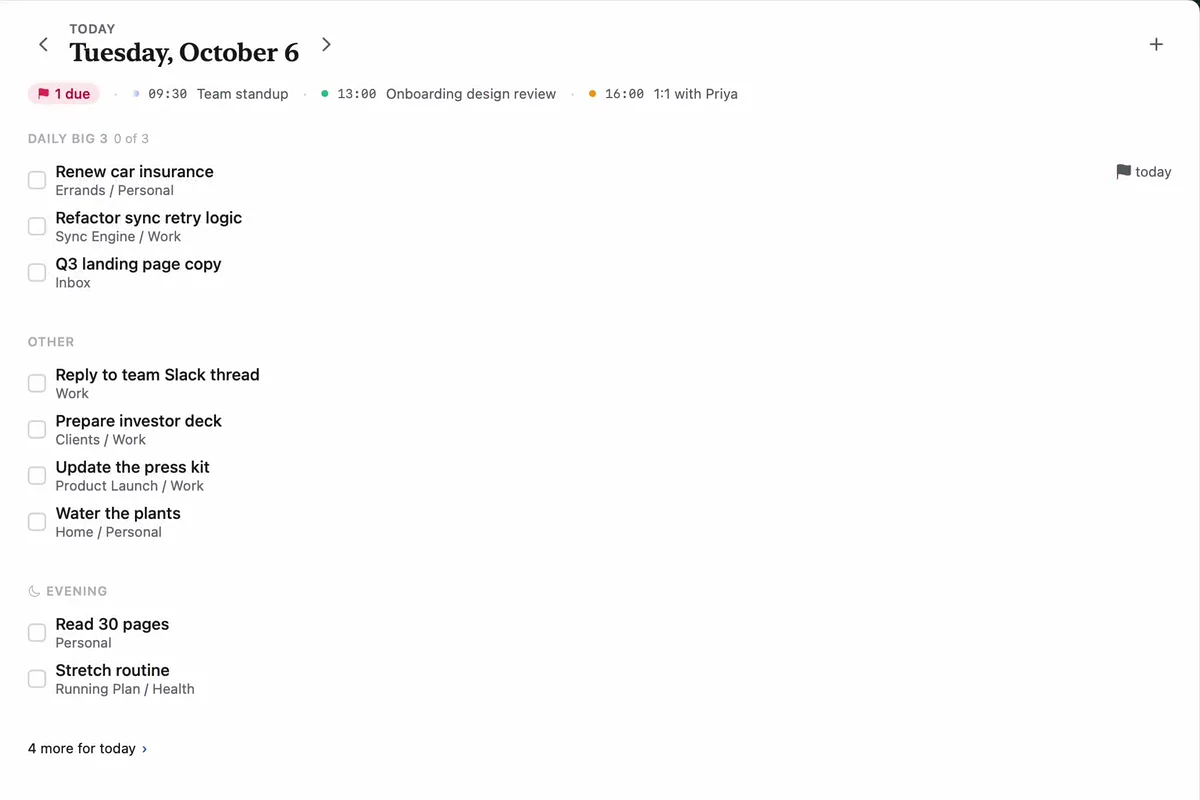
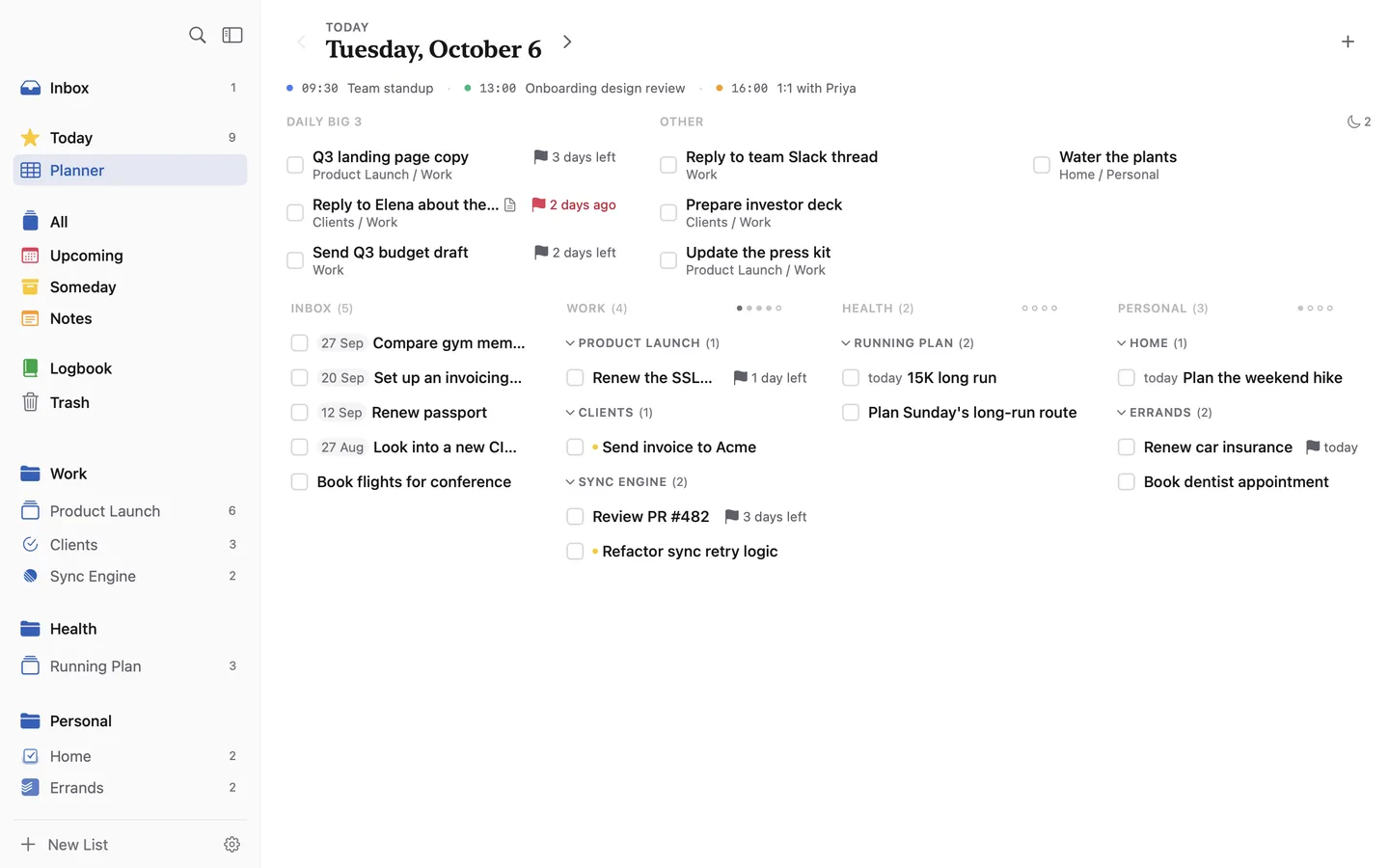
The whole day on one screen
The Planner shows your Big 3 and the rest of today on top, and your Inbox and pillars below. Drag a task up to plan it.
Let old tasks go
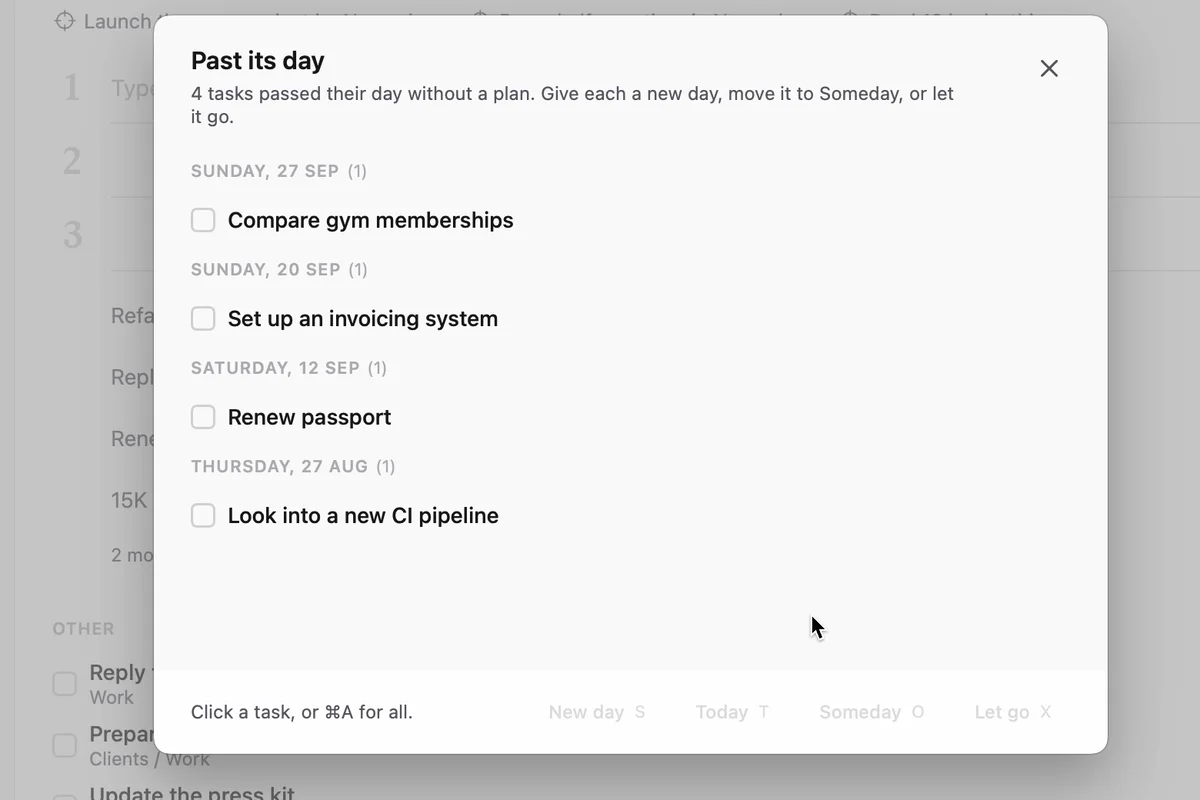
A task whose day passed waits in one list. Give it a new day, move it to Someday, or let it go.
See where the week went
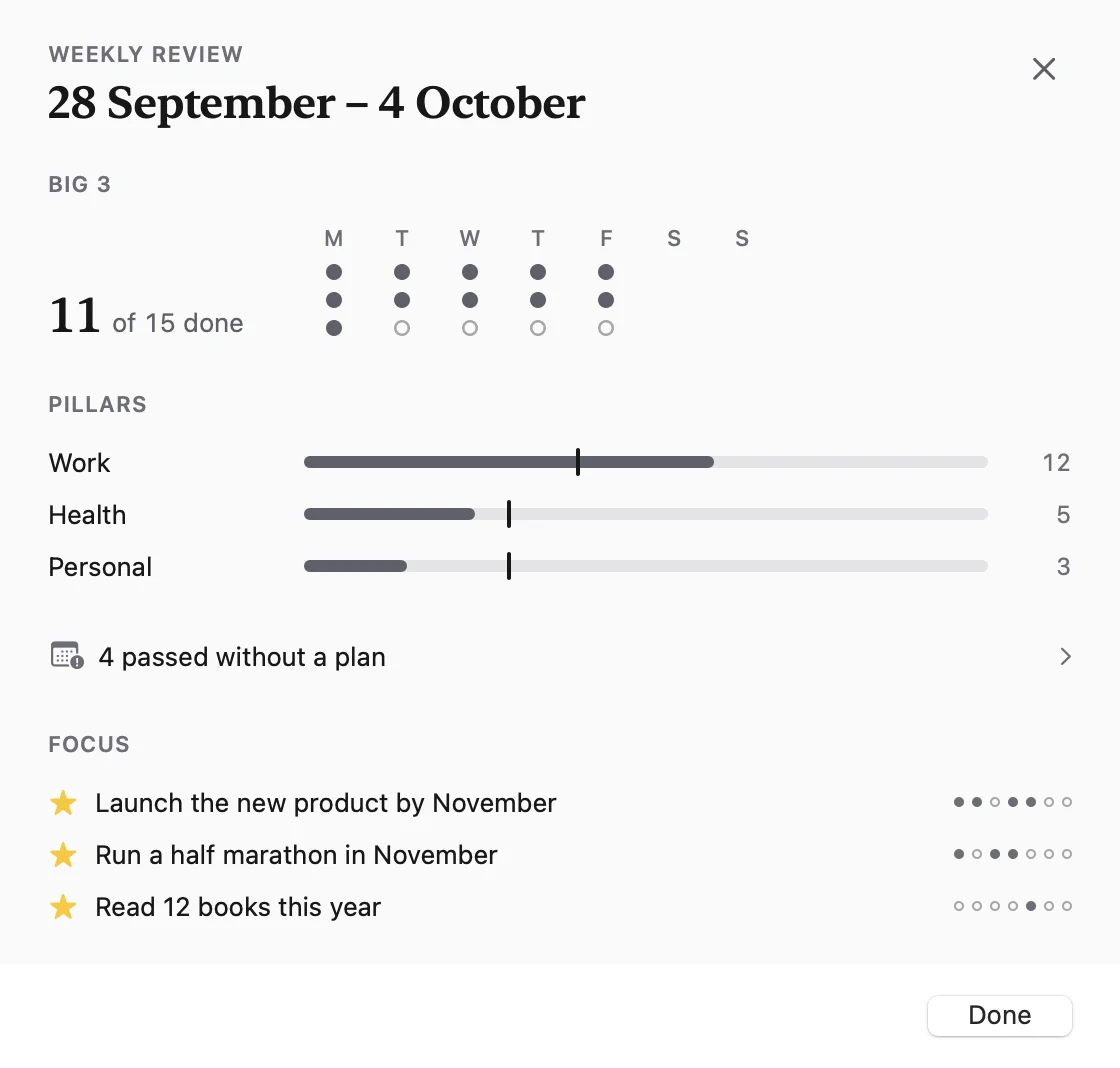
One sheet shows how many Big 3 tasks you finished and how the week split across your pillars, like work and health.
Your apps stay in charge
Finish a task in Compass and it's done in TickTick too. Compass sends only what you changed, so a newer edit on your phone is never overwritten. Compass reads Google Calendar to show your events next to your plan, and never edits it.
Finn, if you want it
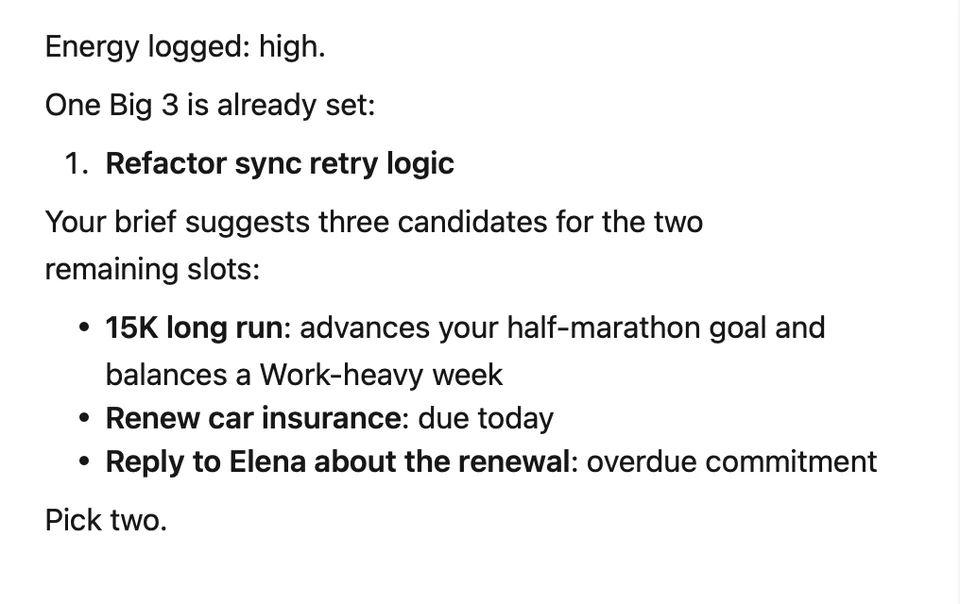
Turn Finn on and it suggests three tasks each morning, with a reason for each. Turn it off and everything above works the same.
Also in Compass
-
Goals
A ◎ marks each task that serves a goal.
-
Notes
Notes format as you type and hold files.
-
Share
Send any task as a read-only link.
The method
Short essays on how we plan a day.
Questions
Is Compass a task manager?
No. Your tasks stay in Things, TickTick, Todoist or Linear. Compass is where you plan the day, and what you change there syncs back.
Which apps does it work with?
Things 3, TickTick, Todoist, Linear and Google Calendar. Sync is two-way for TickTick, Todoist and Linear. Things 3 gets titles, notes, ticks and deadlines through its own automation while Things is open. Calendar is read-only.
What is the Big 3?
Three tasks that would make today a win. You pick them each morning and do them first. Michael Hyatt made the idea central to his Full Focus Planner. More in The Daily Big 3.
Do I have to use the AI?
No. Finn is optional. Turn it off in Settings and Today, the Planner and sync work the same.
How much does it cost?
Nothing during alpha, and no credit card. We will publish pricing before the full release.
Where does my data live?
On your Mac and in your Compass account, on servers in the EU. With Finn on, your tasks go to Anthropic, or to OpenAI if you connect Codex, so Finn can answer. Turn Finn off and they don't. Privacy policy.
Does it run on iPhone or Windows?
Not yet. Compass is a Mac app for macOS 15 or later.
How is it different from Sunsama?
Sunsama plans your day in time blocks and has no built-in Things or TickTick connection. Compass gives you three lines a day, filled from the apps you already use.
Try it tomorrow morning
Download Compass, connect your apps, and open it before email.
Download for MacFree during alpha · macOS 15 or later